Free Release of this Modding Tool – ATS & ETS2 Games Blender Launcher Shortcut
I’m happy to share this little free tool for the modding community!
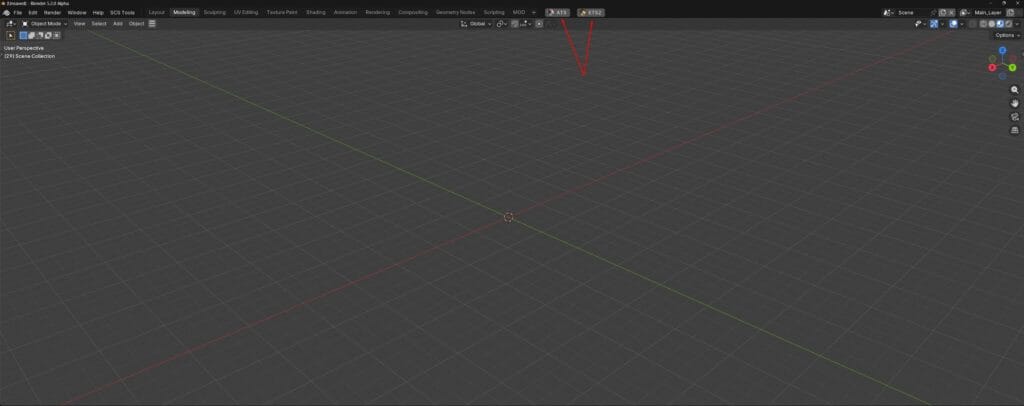
This is a small ATS & ETS2 Blender Launcher I made to help make the workflow easier when opening the game you are creating mods for. The goal is to give you a quicker and more practical way to launch your game, with a shortcut integrated directly into the program.

Whether you are working on trailers, accessories, parts, or other custom content, this tool was created to help keep things a little simpler.
WHAT THIS TOOL IS FOR
🔹 Easy Blender launching for ATS and ETS2 Game
🔹 Helps speed up your modding workflow
🔹 Made for modders
🔹 Free to download and use
🔹 You also can Assign a shorkut to each launcher, so if you are in blender and want to push a single button or a combination of buttons to simple start your game you good to assing a shorkut for it
ONLY WORKS FOR IN STEAM GAME VERSIONS
Free Download
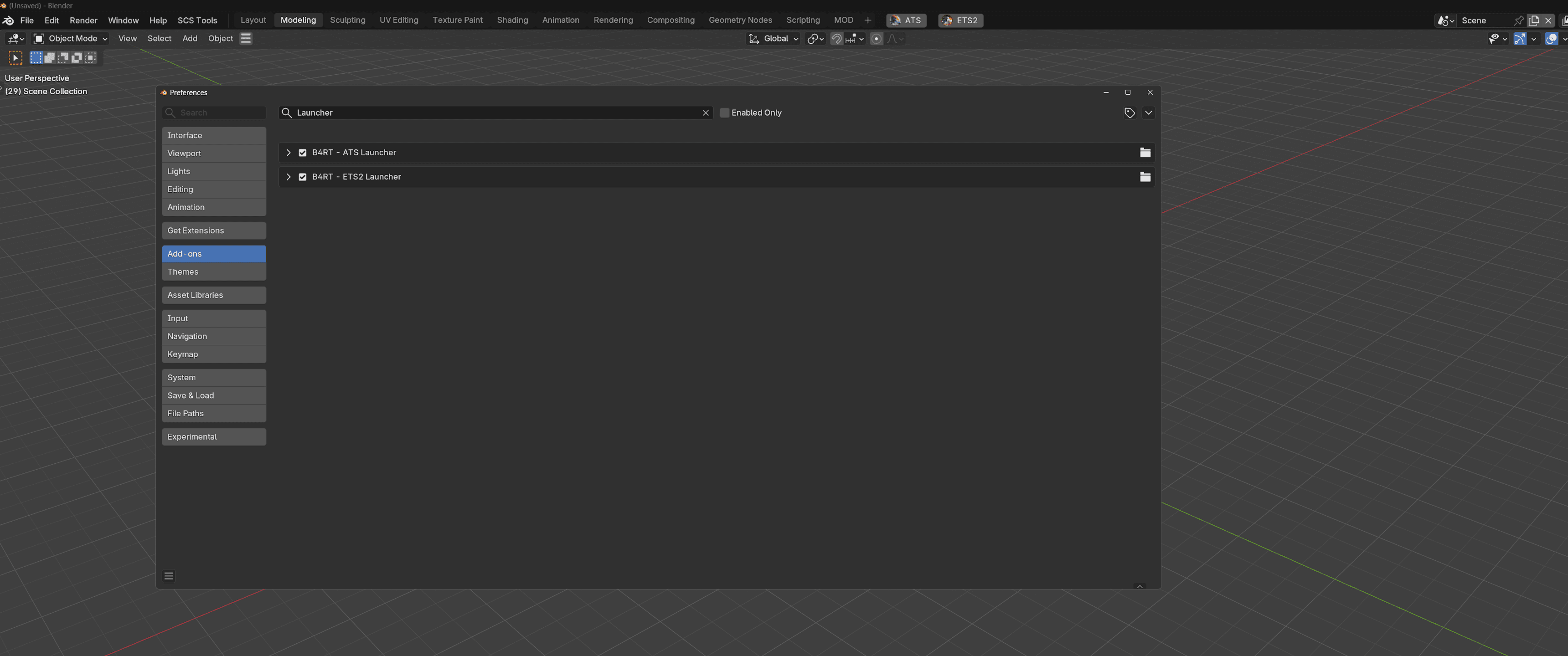
Download the file/s and install in your blender addons:
- ATS Game Launcher
- ETS2 Game Launcher
Download the Files Bellow:
🧩 How to Install the Blender Add-on
1️⃣ Open Blender
2️⃣ Go to Edit → Preferences
3️⃣ Click on the Add-ons tab
4️⃣ Press Install… (top-right)
5️⃣ Select the .zip file you downloaded (do not extract it)
6️⃣ Enable the add-on by checking the box
✅ Done!
Your add-on is now installed and ready to use.
💡 Tip: If you don’t see it, search for the add-on name in the Add-ons list or check the correct panel/tab in Blender.